
The Identity Hackers Won’t Tell You About
Secrets to Staying Safe Online That Everyone Should Know
Every 4.9 seconds, someone becomes a victim of identity theft in the United States. That’s less time than it takes you to read this sentence. In 2025 alone, over 6.4 million identity theft and fraud reports were filed with the Federal Trade Commission — a staggering increase that shows no signs of slowing down. According to Security.org’s 2026 report, 22 percent of Americans have experienced identity theft at some point in their lives.
But here’s what the cybersecurity industry doesn’t advertise: most identity theft is preventable with simple habits that cost nothing. You don’t need a $300 annual subscription to a monitoring service. You don’t need to become a tech expert. What you need is awareness — the kind of awareness that hackers pray you never develop.

How identity theft happens: The five primary attack vectors criminals exploit every day. Source: Fortinet
The Silent Epidemic Nobody Talks About
Identity theft isn’t what Hollywood shows you. It’s not a hooded figure in a dark room typing furiously while green code streams down their screen. Real hackers operate in the shadows of the dark web, but the most dangerous threats to your identity are far more mundane — and far closer to home.
The truth is uncomfortable: you are probably the weakest link in your own security. Not because you’re careless, but because you’ve been taught to think about cybersecurity wrong. We’ve been conditioned to believe that strong passwords and antivirus software are enough. They’re not. They’re the bare minimum — the digital equivalent of locking your front door while leaving every window wide open.
Consider this: IBM’s 2026 X-Force Threat Intelligence Index reveals that vulnerability exploitation became the leading attack vector, accounting for 40% of incidents in 2025. Nearly half of all attacks now begin with public-facing application exploits. What does this mean in plain English? The apps and services you use every day — the ones you trust — are the primary gateways criminals use to steal your identity.
But here’s the part that should keep you awake at night: most people never know they’ve been compromised until it’s too late. The average time to discover identity theft is 16 months. By then, your credit is ruined, your bank accounts are drained, and your digital reputation is in tatters. The hackers have moved on to their next victim, and you’re left holding the pieces of a shattered financial life.
The Identity Hackers Actually Want
When most people think of identity theft, they imagine someone opening a credit card in their name or filing a fraudulent tax return. While those crimes are devastating, they’re also the old way of stealing identities. Modern identity hackers have evolved. They’re not just after your Social Security number or credit card details. They’re after something far more valuable: your behavioral identity.

Modern identity theft goes far beyond stolen credit cards — it’s about behavioral profiling and digital impersonation. Source: Acronis
Your behavioral identity is the unique digital fingerprint you leave everywhere you go online. It’s how you type. The times of day you typically log in. The devices you use. The websites you visit. The way you phrase your emails. Every click, scroll, and keystroke builds a profile that is uniquely yours — and hackers are using artificial intelligence to replicate it with terrifying accuracy.
This isn’t science fiction. Security researchers at BeyondKey documented in 2026 that attackers are deploying autonomous AI agents that learn your defenses, adapt in real-time, and strike when you’re weakest. These systems can analyze years of your social media posts, cross-reference them with data breaches, and build a complete psychological profile of you in minutes.
The scariest part? Once a hacker has your behavioral identity, they can bypass many traditional security measures. Two-factor authentication? They’ll call your phone company pretending to be you, using your voice and personal details, and convince them to transfer your number. Security questions? They’ve scraped the answers from your Facebook posts about your first pet, your mother’s maiden name, and the street you grew up on.
The Password Myth That Endangers Millions
Let’s talk about passwords — specifically, the dangerous myth that “complex passwords keep you safe.” You’ve heard the advice: use uppercase, lowercase, numbers, and symbols. Change them every 90 days. Don’t write them down. This advice is not just outdated; it’s actively making you less secure.
The National Institute of Standards and Technology (NIST) officially revised its password guidelines in recent years, and the changes are radical. The old rules about mandatory complexity and frequent changes? Gone. Why? Because researchers proved what security professionals have known for years: when you force people to create complex passwords and change them constantly, they write them on sticky notes, reuse them across sites, and make predictable substitutions like “P@ssw0rd1”.
| Old Advice (Dangerous) | New Reality (Secure) |
|---|---|
| Change passwords every 90 days | Use strong, unique passwords and only change if breached |
| Complex rules (upper, lower, number, symbol) | Long passphrases (4+ random words) are stronger |
| Never write passwords down | Use a password manager (digital “safe” for passwords) |
| Security questions with real answers | Treat security questions as passwords — lie creatively |
Here’s the truth that password security companies don’t want you to know: the length of your password matters more than its complexity. A 20-character passphrase like “correct-horse-battery-staple” is mathematically harder to crack than a 12-character mess of symbols like “Tr0ub4dor&3”. It’s also easier to remember and type correctly.
But even the best password is useless if you reuse it. According to Kaspersky’s 2026 research, data breaches expose millions of passwords every year. If you use the same password on 20 websites, one breach gives hackers the keys to all 20. This is why a password manager isn’t optional anymore — it’s essential. Think of it as a digital vault where each website gets its own unique, unbreakable key, and you only need to remember one master password to access them all.
Two-Factor Authentication: Your Digital Bodyguard
If you do one thing after reading this article, enable two-factor authentication (2FA) on every account that offers it. This single action will protect you from 99.9% of automated attacks and the vast majority of targeted attacks. Microsoft has publicly stated that 2FA blocks 99.9% of automated account compromise attempts — a statistic that should make every unprotected account owner nervous.
But what exactly is 2FA, and how does it work? Let’s break it down in plain English, step by step, so you understand not just that you should use it, but why it works and how it protects you.
What Is Two-Factor Authentication?
Kaspersky defines 2FA as a security process requiring two separate types of authentication factors — usually something you know (your password) and something you have (your smartphone). Think of it like a bank vault that requires both a key and a fingerprint to open. A thief might steal your key, but they can’t fake your fingerprint. Similarly, a hacker might steal your password from a data breach, but they can’t access your account without the second factor — which is typically a code generated on your phone.
The concept is rooted in a simple security principle: no single factor should be enough to grant access. Your password is “something you know.” Your phone is “something you have.” Your fingerprint is “something you are.” By combining two different categories, you create a security wall that is exponentially harder to breach than any single layer alone.
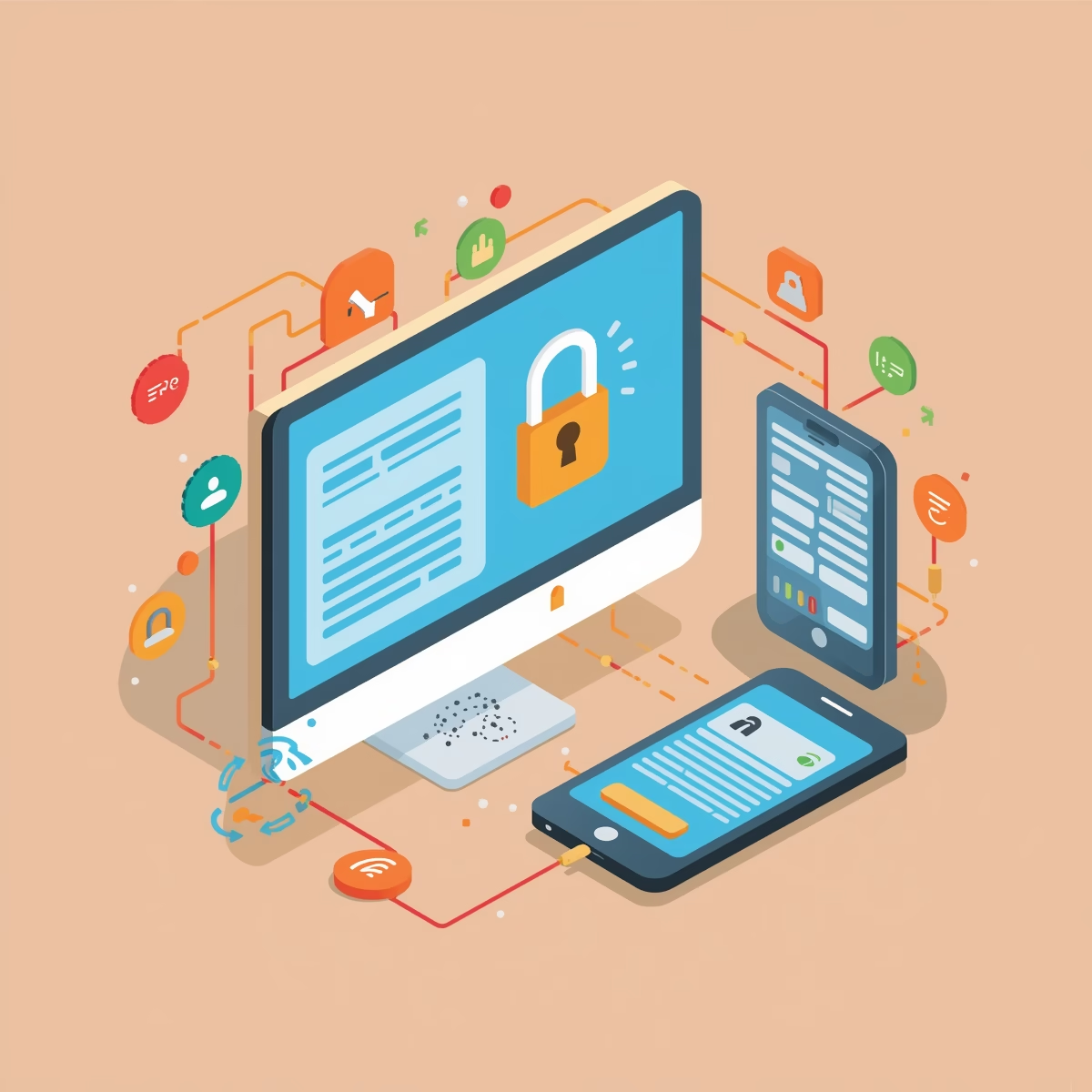
Two-factor authentication adds a critical second layer of defense beyond just passwords. Source: Investopedia
How 2FA Works: The Computer-to-Smartphone Dance
Let’s walk through exactly what happens when you log into a protected account with 2FA enabled. Understanding this flow will help you recognize when something is wrong and appreciate why this system is so powerful.
You Enter Your Password on the Computer
You sit at your laptop, navigate to your bank’s website, and type in your username and password. At this point, the system recognizes your credentials but doesn’t trust you yet. The password alone is no longer sufficient — the bank knows passwords get stolen every day.
The Server Challenges You for a Second Factor
Instead of immediately granting access, the bank’s server sends a challenge: “Prove you have the registered device.” This is the critical moment. The server checks its records and sees that you previously enrolled a specific smartphone as your second authentication factor. It now needs confirmation from that exact device.
Your Smartphone Receives the Verification Request
Your phone — sitting in your pocket, on your desk, or across the room — receives a notification. This might be a push notification from an authenticator app, an SMS text message with a 6-digit code, or a prompt asking you to tap “Yes, it’s me.” The key is that only your physical device can generate or receive this code, because it was cryptographically paired with your account during setup.
You Verify the Login on Your Smartphone
You unlock your phone, open the authenticator app (or read the SMS), and see a time-sensitive code like “482 951.” You type this code into the login screen on your computer. Alternatively, with push notifications, you simply tap “Approve” on your phone screen. This action proves possession of the registered device — the “something you have” factor.
The Server Grants Access — But Only If Both Factors Match
The bank’s server receives your second factor, verifies it against what it expects, and only then opens the vault. If the code is wrong, expired, or missing entirely, access is denied — even with the correct password. A hacker in another country with your stolen password hits an impenetrable wall because they don’t have your phone.
The 2FA Communication Flow
Enters password
Requests 2nd factor
Generates code
Submits code
GRANTED
The Three Types of Authentication Factors
Security professionals categorize authentication into three distinct factor types. Understanding these helps you see why combining them creates such robust protection:
| Factor Type | What It Means | Common Examples |
|---|---|---|
| Knowledge Something you KNOW |
Information stored in your memory | Passwords, PINs, security questions |
| Possession Something you HAVE |
A physical object in your control | Smartphone, security key, smart card |
| Inherence Something you ARE |
A biological characteristic unique to you | Fingerprint, face scan, iris pattern, voice |
Two-factor authentication combines any two of these three categories. The most common pairing is Knowledge + Possession (password + phone). Some high-security environments use Possession + Inherence (security key + fingerprint). The strongest systems use all three — what security professionals call “multi-factor authentication” or MFA.

Step-up authentication adds extra verification layers for sensitive actions like money transfers. Source: Descope
Not All 2FA Methods Are Created Equal
Here’s the hierarchy of 2FA security, ranked from strongest to weakest. If you have a choice — and you usually do — always pick the highest option available:
🔐 2FA Security Ranking (Best to Worst)
- Hardware Security Keys (YubiKey, Titan, Thetis) — Physical USB/NFC devices that must be inserted or tapped. They use cryptographic challenge-response protocols that are completely immune to phishing and remote attacks. Even if a hacker has your password and is watching your screen, they cannot log in without physically possessing your key.
- Authenticator Apps (Google Authenticator, Authy, Microsoft Authenticator) — Generate time-based one-time passwords (TOTP) on your phone. The codes change every 30 seconds and are generated using a secret key shared only between your phone and the server during setup. Secure, convenient, and work offline.
- Push Notifications (Duo, Google Prompt, Apple Watch) — Send a notification to your device asking you to approve or deny the login. Good security, but vulnerable to “push fatigue” attacks where hackers spam you with requests hoping you’ll accidentally tap “Approve.”
- SMS/Text Messages — Better than nothing, but vulnerable to SIM swapping, SS7 protocol attacks, and interception. Use only if no other option exists, and consider switching to a more secure method as soon as possible.

Hardware security keys like YubiKey and Titan provide the strongest 2FA protection available. Source: Wirecutter/New York Times
The SIM Swapping Nightmare
The SIM swapping threat is real, growing, and devastating. Here’s how it works: criminals call your mobile carrier, pretend to be you, and convince customer service to transfer your phone number to a new SIM card they control. They might use personal information scraped from social media, fake IDs, or insider help at the carrier. Once they have your number, they receive all your SMS 2FA codes and password reset links.
This attack has drained bank accounts, emptied cryptocurrency wallets, and taken over social media accounts belonging to celebrities, executives, and everyday people. If your bank only offers SMS 2FA, demand better options or consider switching institutions. Your financial security is worth changing banks over.
Setting Up 2FA: A Practical Walkthrough
Let’s get practical. Here’s how to set up 2FA on a typical account using an authenticator app — the sweet spot of security and convenience for most people:
Download an Authenticator App
Install Google Authenticator (iOS/Android), Authy (has cloud backup), or Microsoft Authenticator from your app store. These are free and trusted by millions. Avoid lesser-known apps that may have security flaws.
Go to Your Account Security Settings
Log into the website you want to protect (Gmail, Facebook, bank, etc.). Navigate to Settings → Security → Two-Factor Authentication. Look for “Authenticator App” or “TOTP” as an option.
Scan the QR Code with Your Phone
The website will display a QR code (a square barcode). Open your authenticator app, tap the “+” or “Add Account” button, and point your phone’s camera at the code. The app will instantly capture the secret key and begin generating 6-digit codes for that account.
Enter the Verification Code to Confirm
Type the 6-digit code currently showing in your authenticator app into the website’s verification field. This proves the setup worked correctly. The server and your phone are now cryptographically synchronized.
Save Your Backup Codes (Critical!)
The website will provide backup codes — usually 8-10 single-use codes. Print these and store them in a physical safe. If you lose your phone, these codes are your only way back into your account. Never store them only on your phone.

Entering a time-based verification code from an authenticator app on your smartphone. Source: iOSXpert
What Happens If You Lose Your Phone?
This is the question that stops many people from enabling 2FA: “What if I lose my phone?” It’s a valid concern, but the solution is simple preparation.
First, always save your backup codes during setup. These are one-time-use codes that bypass 2FA in emergencies. Store them printed on paper in a fireproof safe, or in your password manager (which should itself be protected by 2FA).
Second, if you use Authy, enable encrypted cloud backup. This allows you to restore your 2FA accounts on a new phone by entering your backup password. Google Authenticator now also offers account transfer via QR code when setting up a new device.
Third, many services offer alternative recovery methods — trusted phone numbers, recovery email addresses, or security questions. Set these up before you need them. The worst time to discover you have no recovery options is when you’re locked out.
2FA Is Not Optional Anymore
Let me be absolutely clear: in 2026, running any important account without 2FA is digital negligence. Your email, bank, investment accounts, cloud storage, password manager, and social media should all be protected. Start with your email — it’s the master key to everything else. If hackers compromise your email, they can reset passwords on every other service.
Here are the accounts where 2FA is absolutely non-negotiable:
🛡️ Priority Accounts for 2FA (Enable These First)
- Email (Gmail, Outlook, Yahoo) — The master key to your digital life
- Banking and Investment Accounts — Direct access to your money
- Password Manager — Protects the keys to all your other accounts
- Cloud Storage (Google Drive, iCloud, Dropbox) — Contains your personal files, photos, and documents
- Social Media (Facebook, Instagram, X/Twitter, LinkedIn) — Your public identity and reputation
- Shopping (Amazon, eBay, PayPal) — Stored payment methods and purchase history
- Cryptocurrency Exchanges — Irreversible transactions make these prime targets
Most major services now offer 2FA, and many are making it mandatory. Kaspersky maintains an updated list of services supporting 2FA. Check it, enable it everywhere, and sleep better knowing that even if your password leaks in the next data breach, your accounts remain locked behind a wall that hackers cannot scale without your phone.
The Social Media Trap You’re Walking Into
Your social media profiles are gold mines for identity thieves, and most people are practically giving their identities away for free. Every quiz you take (“What city should you live in based on your favorite foods?”), every “tag a friend” post, every check-in at your favorite coffee shop — all of it feeds the machine that builds your identity profile.
Consider what a determined attacker can learn about you from a typical Facebook profile: your full name, birth date, hometown, current city, workplace, education history, family members, relationship status, political views, religious beliefs, favorite restaurants, travel patterns, pet names, and the names of your closest friends. This is more than enough to answer most security questions, craft convincing phishing emails, and impersonate you to customer service representatives.
Data privacy experts at GraffersID emphasize the importance of data minimization — collecting and sharing only what’s absolutely necessary. Apply this principle to your social media. Review your privacy settings quarterly. Set your profiles to “friends only” or, better yet, “only me” for sensitive information. Stop answering those viral quizzes. They exist primarily to harvest your personal data and sell it to data brokers, who then sell it to anyone willing to pay — including identity thieves.
Here’s a rule that will change your digital life: never post in real-time. That stunning vacation photo? Wait until you’re home to share it. Announcing you’re away tells the world your house is empty. But more importantly for identity theft, it tells attackers you’re not monitoring your accounts, making you an easier target.
The Free Wi-Fi Death Trap
Free public Wi-Fi is one of the greatest conveniences of modern life — and one of the most dangerous. That “Starbucks_Guest” network you’re connecting to at your local coffee shop? It might not be Starbucks at all. It could be a criminal’s laptop running software that captures every password, credit card number, and personal message you send.
This attack is called an “evil twin” network, and it’s devastatingly simple to set up. A criminal creates a Wi-Fi hotspot with the same name as a legitimate network. Your phone or laptop connects automatically, and everything you do online flows through the attacker’s computer first. They can see unencrypted traffic, inject malicious code into websites, and redirect you to fake login pages that steal your credentials.

Digital privacy requires active protection across all your devices and networks. Source: Enzuzo
The solution isn’t to avoid public Wi-Fi entirely — that’s impractical. The solution is a Virtual Private Network (VPN). A VPN encrypts all your internet traffic, creating a secure tunnel between your device and the internet. Even if you connect to a malicious network, the attacker sees only encrypted gibberish. Think of it as a bulletproof envelope for your digital communications.
Credit Freezes: The Nuclear Option
Here is the single most powerful identity protection tool that almost nobody uses: a credit freeze. When you freeze your credit with all three major bureaus (Equifax, Experian, and TransUnion), you lock your credit report so that no new accounts can be opened in your name. Period. Not by you, not by a thief, not by anyone — unless you temporarily lift the freeze.
Credit freezes are free, they don’t affect your credit score, and they’re permanent until you remove them. Yet surveys show that less than 25% of Americans have frozen their credit. Why? Because the credit bureaus don’t advertise this option. They make money selling credit monitoring services, identity theft insurance, and fraud alerts — all of which are less effective than a simple freeze and often cost money.
Here’s how powerful a credit freeze is: even if a criminal has your Social Security number, birth date, address, and mother’s maiden name, they cannot open a credit card, get a car loan, or take out a mortgage in your name if your credit is frozen. The application will be denied because the lender can’t access your credit report. It’s that simple.
🧊 How to Freeze Your Credit (Do This Today)
- Equifax: Visit equifax.com/freeze or call 1-800-349-9960
- Experian: Visit experian.com/freeze or call 1-888-397-3742
- TransUnion: Visit transunion.com/credit-freeze or call 1-888-909-8872
- Create a free account at each bureau and request a freeze
- Store your PINs/passwords in your password manager
- Temporarily lift freezes only when applying for new credit
The Phishing Evolution You Need to Fear
Phishing isn’t what it used to be. The days of poorly written emails from “Nigerian princes” are largely over. Modern phishing is sophisticated, personalized, and terrifyingly convincing. It’s called “spear phishing” when targeted at individuals, and it’s the primary way hackers bypass even strong technical defenses.
Security analysts note that voice deepfakes are now a real threat — criminals can clone a CEO’s voice from a few minutes of audio and use it to authorize fraudulent wire transfers. But the more common threat is email-based spear phishing, where attackers research their targets extensively before crafting personalized messages.
Imagine receiving an email that appears to be from your company’s HR department, referencing a real project you’re working on, using your boss’s actual email signature, and asking you to review a “confidential document” before tomorrow’s meeting. The link takes you to a login page that looks exactly like your company’s portal. You enter your credentials without a second thought. Congratulations — you’ve just given a criminal the keys to your entire professional identity.
The defense against modern phishing isn’t technical — it’s psychological. You must cultivate what security professionals call “professional skepticism.” Verify everything through a separate channel. If your bank emails you about a problem, call the number on your card (not the email) to confirm. If your CEO asks for an urgent wire transfer, text or call them directly. If Amazon warns you about a suspicious order, log into your account directly (don’t click the link) to check.
Building Your Personal Security Fortress
By now, you understand that protecting your identity isn’t about one magic solution — it’s about layers. Defense in depth, as security professionals call it. Each layer might be penetrable alone, but together they create a fortress that repels all but the most determined attackers.
Let’s assemble your personal security fortress with the essential habits, tools, and mindsets that will keep you safe in 2026 and beyond:
🏰 Your Complete Identity Protection Checklist
- Freeze your credit with all three bureaus (free, permanent, effective)
- Use a password manager with unique, long passphrases for every account
- Enable 2FA everywhere, prioritizing authenticator apps or hardware keys
- Review and lock down social media privacy settings quarterly
- Use a reputable VPN on all public Wi-Fi networks
- Check your credit reports free at AnnualCreditReport.com
- Set up account alerts for all financial accounts (unusual activity, login attempts)
- Shred documents containing personal information before discarding
- Use a dedicated email address for financial accounts (separate from social media)
- Enable login notifications on all important accounts
- Regularly review connected apps and revoke unused permissions
- Be skeptical of all unsolicited communications — verify independently
These habits take time to build, but they become automatic with practice. Start with the credit freeze and 2FA — those two actions alone will protect you from the majority of identity theft scenarios. Add the others gradually. Security isn’t a destination; it’s a journey of continuous improvement.
The Future of Identity: What’s Coming Next
As we look toward the rest of 2026 and beyond, the identity threat landscape will only intensify. AI-powered attacks are becoming the norm, not the exception. Deepfakes will make voice and video verification unreliable. Quantum computing threatens to break current encryption standards. Biometric data — your fingerprints, face, and iris patterns — is being collected everywhere, and unlike passwords, you can’t change your fingerprints if they’re stolen.
But with every threat comes innovation. Decentralized identity systems are emerging, giving individuals control over their own credentials without relying on centralized databases that are prime hacker targets. Passwordless authentication using FIDO2 standards is gaining traction, replacing passwords entirely with cryptographic keys stored on your devices. Zero-knowledge proofs allow you to verify your identity without revealing the underlying data.
The most important trend, however, is the shift in mindset. The future of identity security belongs to the informed individual. Governments and corporations will never protect you as well as you can protect yourself. Regulations like GDPR and CCPA are helpful, but they’re reactive, not proactive. Your best defense has always been — and will always be — your own awareness and action.

The seven core principles of data privacy that should guide your digital life. Source: GraffersID
Your Identity Is Your Legacy
In the digital age, your identity is more than a name and a Social Security number. It’s the sum total of your online existence — your financial history, your professional reputation, your personal relationships, your creative output, and your digital footprint across decades. Protecting it isn’t just about preventing financial loss; it’s about preserving your autonomy, your privacy, and your future.
The hackers won’t tell you these secrets because they profit from your ignorance. The security industry won’t emphasize free solutions like credit freezes because they sell subscription services. Social media platforms won’t warn you about oversharing because your data is their product. You are the only person with a genuine, vested interest in protecting your identity.
That makes you the most important security tool you have. Not the antivirus software. Not the firewall. Not the VPN. You. Your decisions. Your habits. Your vigilance. Your refusal to be an easy target.
Start today. Freeze your credit. Enable 2FA on your most important accounts. Download a password manager. Review your social media privacy settings. These small actions, taken together, create an identity fortress that will stand against the threats of today and tomorrow.
The identity hackers don’t want you to know these secrets. But now you do. Use them.